Suprnova's ZCash Pool zec.suprnova.cc

last question gents…

is the GPU solver portion of this working ?

im setting up a seperate commabd terminal. im wanting GPU only on this so set t- 0 od- 0

is this right ? … od- 0 for graphics card ( i only have 1 )

im getting 0 sol/s on both computers. to me that indicates its not picking up the card.

this is what i was running on thanks for input anyway

as well? what’s the difference?

okay so managed to get it to pick up gpu …

giving me 1000I/s but 0 sol/s hows that work

Do we need to allocate an address for payment or can that be added later to send coins?

my account was locked , why? and I have not received any email from suprnova

@ocminer I’m mining and don’t see any accepted / rejected solver runs. Also I don’t see the worker marked as active on zec.suprnova.cc/index.php?page=account&action=workers.

I’m using the str4d standalone miner with following parameters.

./src/zcash-miner -stratum=stratum+tcp://zec.suprnova.cc:2142 -user=Absturz.1 -password=XXXXX -equihashsolver=tromp -genproclimit=2 -debug

Output:

Since starting this node 2 minutes, 55 seconds ago:

  • You have validated 0 transactions…
  • You have contributed 1.0571 Sol/s on average to the network solution rate.
  • You have completed 88 Equihash solver runs.

Here output if I add -printtoconsole

Zcash Miner version v1.0.0-ed03ab9 (2016-10-28 08:59:46 -0700)
Connecting to stratum server zec.suprnova.cc:2142
Connected!
Starting miner
ZcashMinerThread started
Using Equihash solver “tromp” with n = 200, k = 9
ZcashMinerThread started
Using Equihash solver “tromp” with n = 200, k = 9
Subscribed to stratum server
Target set to 00f0f0f0f0f0f0f0f0f0f0f0f0f0f0f0f0f0f0f0f0f0f0f0f0f0f0f0f0f0f0f0
Received new job #61f
Authorized worker Absturz.1
Running Equihash solver with nNonce = 7fffffffffffffffffffffffffffffff39c50a600000000000000000600ac538
Running Equihash solver with nNonce = 0000000000000000000000000000000039c50a600000000000000000600ac538
Running Equihash solver with nNonce = 0000000000000000000000000000000139c50a600000000000000000600ac538
Checking solution 1

  • Checking solution against target… too large.
    Checking solution 2
  • Checking solution against target… too large.
    Checking solution 3

Any ideas on how to get this properly working??

Automatic Payout Threshold
0.001 - 80000 ZEC. Set to ‘0’ for no auto payout. A 0.0001 ZEC TX fee will apply

Why did you put it at 0.001 ZEC? This means you are loosing 10% of your power hashrate.

Each time you reach 0.001 ZEC you’ll be paying 0.0001 in TX fees, so you’ll get 0.0009 ZEC.

Am I missing something?
Regards

What command line can i use to enable gpu mining on linux? Or is it cpu only for now?

anyone ? seems slow for spec no

@ocminer
plz check
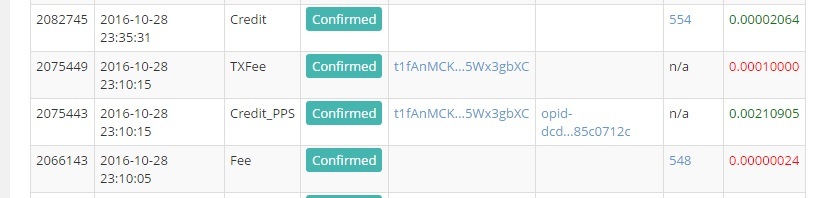
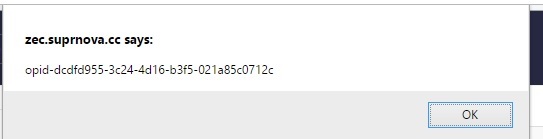
opid-ae569b4a-223a-4d8c-b344-144d156aece8
t1XdfJao13yqt9ZTDEGcCS8eJWnkr8BETNY

that serve not entered my wallet, but the one that was after that has appeared.

Those axxes at NiceHash never took the time to release a gpu version for Linux :angry:

the zec-eu now accepts more connection, it had reached a limit before, connections should be possible without problems again, thx !

@uzzy: It’s back in your account !

Alex: 0.0001 is the TX fee the wallet takes, so I just use that 1:1 from the wallet.

@ABsturz: That looks like an OOOooooooOOOold version of the miner. 1 Sol/s won’t get you far, we’re at > 10 sol/s currently :slight_smile: Try to have a look here:

https://zec.suprnova.cc/index.php?page=gettingstarted

And grab your miner from there :slight_smile:

1 Like

Msg me your username and i’ll unlock you

You can provide one later

ocminer, after 3 days hopelessly waiting for a gpu version for Linux, I gave up and tried on a Windows 8.1 partition.
I spend 3 hours to install Visual Studio and CUDA toolkit, then I downloaded your v0.3a but it didn’t work: I was getting 0Sol/s!!
What might be wrong?

Please download the precompiled binaries and see if they work…

That’s what I did, but got 0 Sol/s

Maybe a driver issue ? Try to run them with “-h” and then do “-ci” for cuda information or “-oi” for opencl information and after that, run them with -cd 0 or -od 0 whereas 0 would be the first card


update graphics drivers and install cuda latest ( google cuda) i had same problem

then download and put into nheqminer folder ( same as where the exe is ) these cuda dll’s ( click yes to replace when asked)

they appear to be updated versions